Swift: Fly-to-Cart Animation Pack

Two add-to-cart micro-interactions for React: product images arc into the cart icon, the cart wiggles and counts up, and a slide-out cart lists items and totals.
Try it live
The real demo, running in a sandbox. Switch the screen size to see how it adapts.
About this item
The best add-to-cart feedback is visual. Swift gives you two ready-made React interactions: the product image lifts off, arcs across the screen and drops into the cart, which wiggles and updates its badge. The grid variant adds a slide-out cart with items and total, so the whole flow from browse to basket feels connected.
A real flight path
Start and end positions are measured from the product image and the cart icon, so the item always lands in the right place regardless of layout, with a lift-and-drop curve and shrink.
Two integration levels
Use the single-product card for landing pages and product detail pages, or the grid variant with its cart panel for full storefronts.
Variants included
- Single product: Product card whose image arcs into the header cart icon, which wiggles and shows a count badge (Tailwind CSS v4).
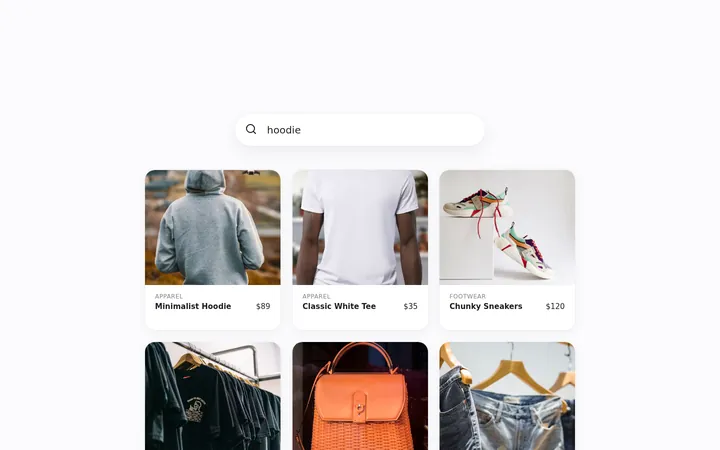
- Product grid + cart: Product grid with flying thumbnails, a bouncing cart button and an animated cart panel with totals.
Features
- ✓Fly-to-cart arc animation measured from live element positions
- ✓Cart icon wiggle and count badge
- ✓Fading source image while the item flies
- ✓Product grid with multiple flying items
- ✓Animated cart panel with items and total
- ✓Empty-cart state
- ✓Framer Motion animations
- ✓Tailwind CSS v4 (single product) and plain CSS (grid)
What's included
Full JavaScript source code for 2 variants,package.jsonwith locked dependencies, Vite config, RVT.ai README with setup and customisation guide,LICENSEandTHIRD-PARTY-NOTICES.md. Nonode_modules: runnpm installonce.
Requirements
Node.js 20.19+ and npm 10+ to develop and build. The production build is static HTML, CSS and JavaScript that runs on any static host. No backend, API keys or paid services required.
Perfect for
- E-commerce product pages
- Food, drink and grocery shops
- Sneaker and fashion stores
- Checkout and cart prototypes
From download to production
- Download Swift: Fly-to-Cart Animation Pack from your account and unzip it.
- Run
npm install, thennpm run devto open it locally. - Swap in your brand colours, copy and data (see the README customisation guide).
- Run
npm run buildand deploy thedist/folder to any static host.
Support and updates
Includes free updates and six months of RVT.ai support. Ask pre-purchase questions in the product Q&A, or open a ticket at https://rvt.ai/support with your order number.
Choose the license for your project
A Regular license covers a single end product that is not sold to end users. Choose Extended for a single end product that is sold to end users, including SaaS products and paid applications. Review the full license terms before checkout.
Features
- Fly-to-cart arc animation measured from live element positions
- Cart icon wiggle and count badge
- Fading source image while the item flies
- Product grid with multiple flying items
- Animated cart panel with items and total
- Empty-cart state
- Framer Motion animations
- Tailwind CSS v4 (single product) and plain CSS (grid)
Files included
- Full source code (React + Vite)
- README.md
- LICENSE (RVT.ai)
- THIRD-PARTY-NOTICES.md
- package.json + package-lock.json
Version 1.0.0 and changelog
Version 1.0.0
Initial RVT.ai release. Includes Single product, Product grid + cart.